Turn lecture slides into high-yield notes
Condense a slide deck into high-yield notes linked to each slide.
Lecture slides to notes means condensing a slide deck into revision notes that keep the testable points. Recall Engine takes the PDF or PowerPoint slides you pick and writes high-yield notes grouped by topic. Each point links to the slide it came from so you can check what was trimmed.
See what gets generated
High-yield note
p. 3Name the compartment before you sample it
| Condition | Site | Local clue | Sample |
|---|---|---|---|
| Osteomyelitis | Site: Bone and marrow | Local clue: Bone tenderness | Sample: Bone or deep tissue |
| Septic arthritis | Site: Joint space | Local clue: Painful joint movement | Sample: Synovial fluid |
| Cellulitis | Site: Skin and soft tissue | Local clue: Skin warmth and redness | Sample: Clinical context |
Exam point. Aspiration answers what is in a fluid collection. Sample the relevant compartment.
Notes page
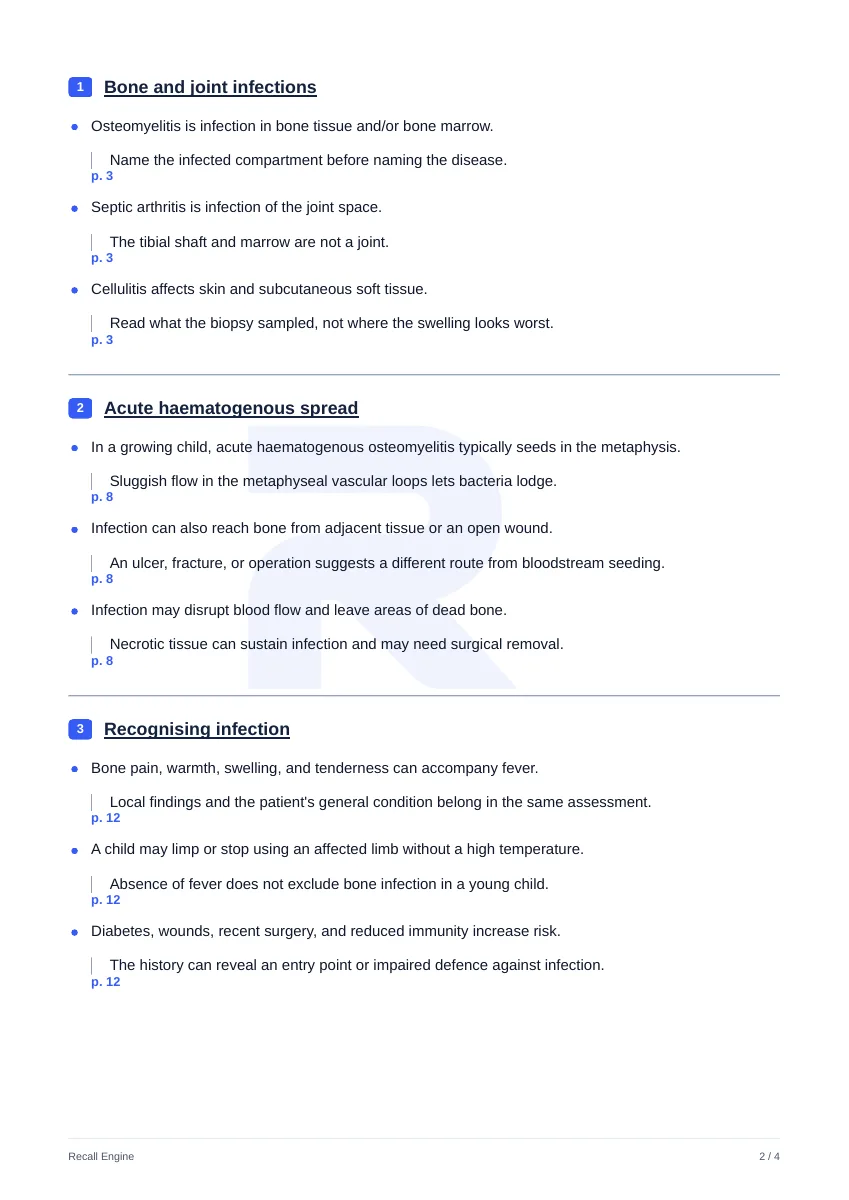
Reference sheet
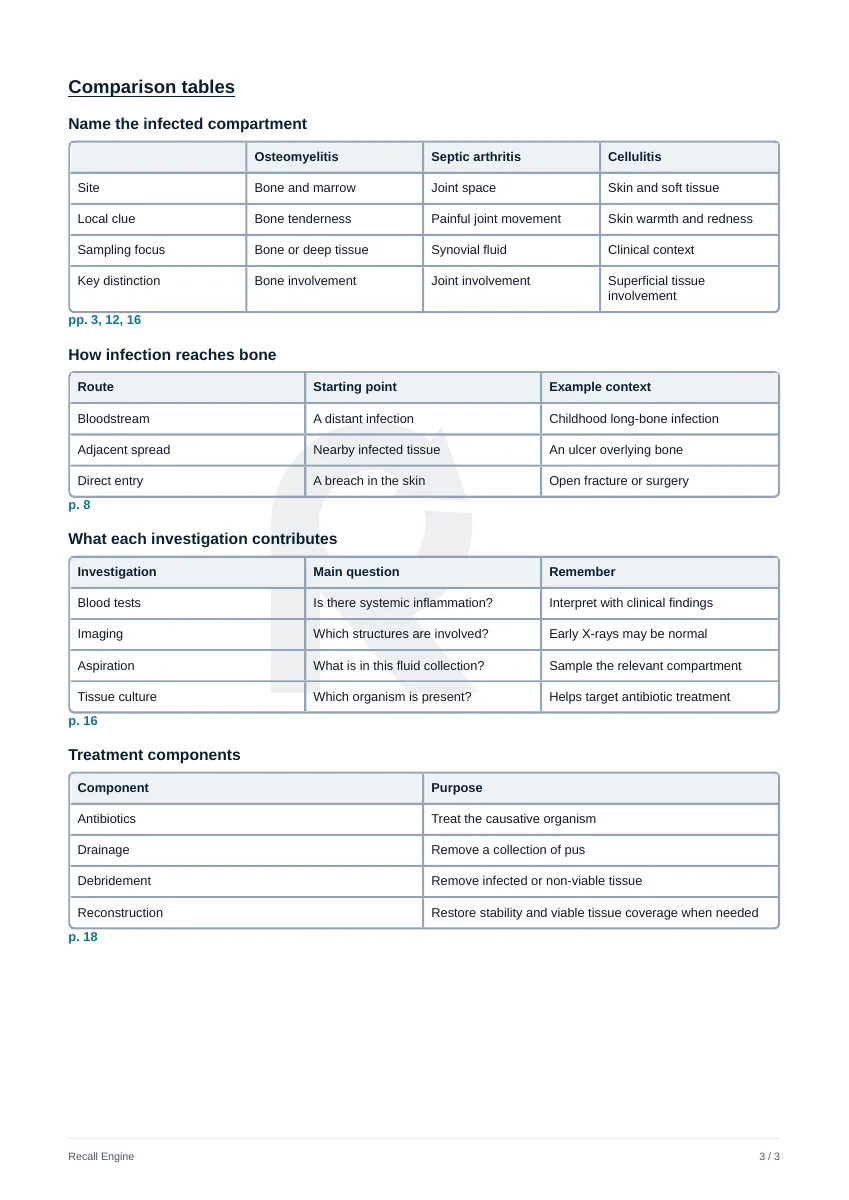
Built from the “Name the infected compartment” and “What each investigation contributes” tables on page 3 of a public sample reference sheet. This is a teaching example rather than clinical advice.
How it works
Upload your slides
Add the deck as a PDF up to 100 MB or as a PowerPoint (.pptx) file.
Select the slides
Choose the slides to condense or run the whole deck.
Revise and check
Read the notes then open the slide behind any point you doubt.
Why students use it
- High-yield points grouped by topic for quick revision
- Each point links back to the slide it came from
- Notes download as a PDF you can print
- Free to start: 50 credits on signup with no card required
Frequently asked questions
Another question?
support@recallengine.appCan I turn PowerPoint slides into notes?
Yes. Upload a PPTX file and choose notes as the format. Recall Engine reads the text on each slide and writes high-yield notes from it. A point that only appears inside a picture is missed. Export that deck as a PDF first.
Should I upload my slides as a PDF or a PowerPoint?
Use a PDF when the slides carry diagrams, scans, or tables saved as pictures. PDF pages with little text are read as images. Use the PPTX when the slides are mostly text.
Will the notes cut something important?
Notes keep the points most likely to be tested. Each one links to its slide so you can see what was kept. If a section feels too thin, run it again on a narrower range of slides.
Can I turn the notes into questions?
Yes. Generate SBAs, MCQs, or flashcards from the same slides. Read the notes first then test yourself with the SBA question generator.
Is it free?
You get 50 free credits on signup with no card required. Credits are charged only after a generation succeeds.
Practise without uploading
The prepared question bank runs from the preclinical sciences to the clinical specialties. Every question explains every option.
Try it on your next lecture.
7 days of the library free plus 50 credits.